Robots.txt Generator
Create RFC 9309-compliant robots.txt files. Block AI scrapers, manage crawl delay, and control Googlebot access — instantly, in your browser.
The Ultimate Master Guide to Robots.txt & Bot Control
1. Fundamentals of the Exclusion Standard
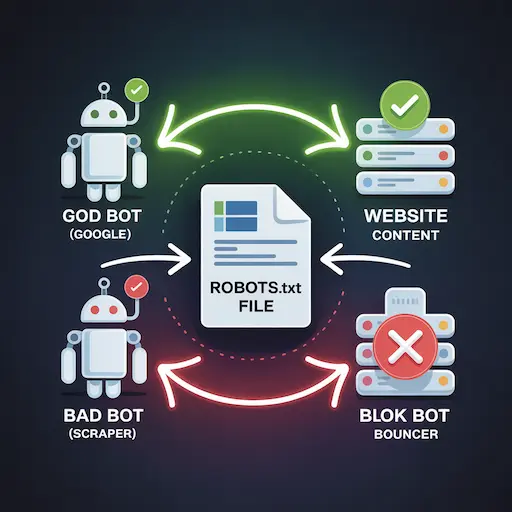
What is Robots.txt?
It is a plain text file placed in your website's root directory
(e.g., example.com/robots.txt).
It serves as the first point of contact for web crawlers, acting as a
"Do Not Enter" sign for specific areas of your site. It adheres to the
Robots Exclusion Protocol (REP).
Why is it Mandatory?
Without this file, search engines will attempt to index everything —
including duplicate content, admin panels, and private scripts. This
dilutes your SEO ranking and wastes your "Crawl Budget."
2. Syntax, Configuration & Logic
Allow vs. Disallow Priority
Directives are processed specifically. A
Disallow: /private/ blocks the folder,
but an Allow: /private/image.jpg can
override that block for a specific file. The most specific rule usually wins.
The Power of Wildcards (*)
The asterisk (*) acts as a wildcard.
-
Disallow: /*.pdf→ Blocks all PDF files site-wide. -
Disallow: /products/*?sort=→ Blocks sorting parameters to prevent duplicate content.
3. Managing AI & Scrapers (2026 Update)
Blocking LLM Training Data
Companies like OpenAI (ChatGPT), Anthropic (Claude), and Apple use specific
bots to scrape the web for training data. To opt-out, explicitly block their
user-agents:
- GPTBot: OpenAI's crawler for training data collection.
- CCBot: Common Crawl, used as a foundation by many AI models.
- Google-Extended: Trains Gemini without affecting Search ranking.
4. Common Mistakes to Avoid
1. Blocking CSS and JS
Never block /wp-includes/js/ or CSS
folders. Google renders pages like a modern browser; if it cannot see your
layout, it may classify your site as not mobile-friendly.
2. Using Robots.txt to De-Index Pages
The Golden Rule: Robots.txt prevents crawling,
not indexing. To remove a page from Google, use
<meta name="robots" content="noindex">
instead.
3. Trailing Slashes Matter
Disallow: /admin blocks all URLs starting
with "admin" (e.g., /admin-login).
Disallow: /admin/ blocks only the exact
folder structure.
Initializing secure discussion portal...